
Real screens from the app
MiJornada in the U.S., screen by screen
The app as it looks on a phone, a tablet and a computer, in English and with a 12-hour clock, using a demo company: a Los Angeles bakery with a bakehouse, a shop and ten people.
Clock in from a phone or a shared tablet
Start, breaks and finish with one tap. Every punch is saved with the server time and the worksite, even with no signal: it's sent as soon as the connection is back.
 Open the full-size screenshot
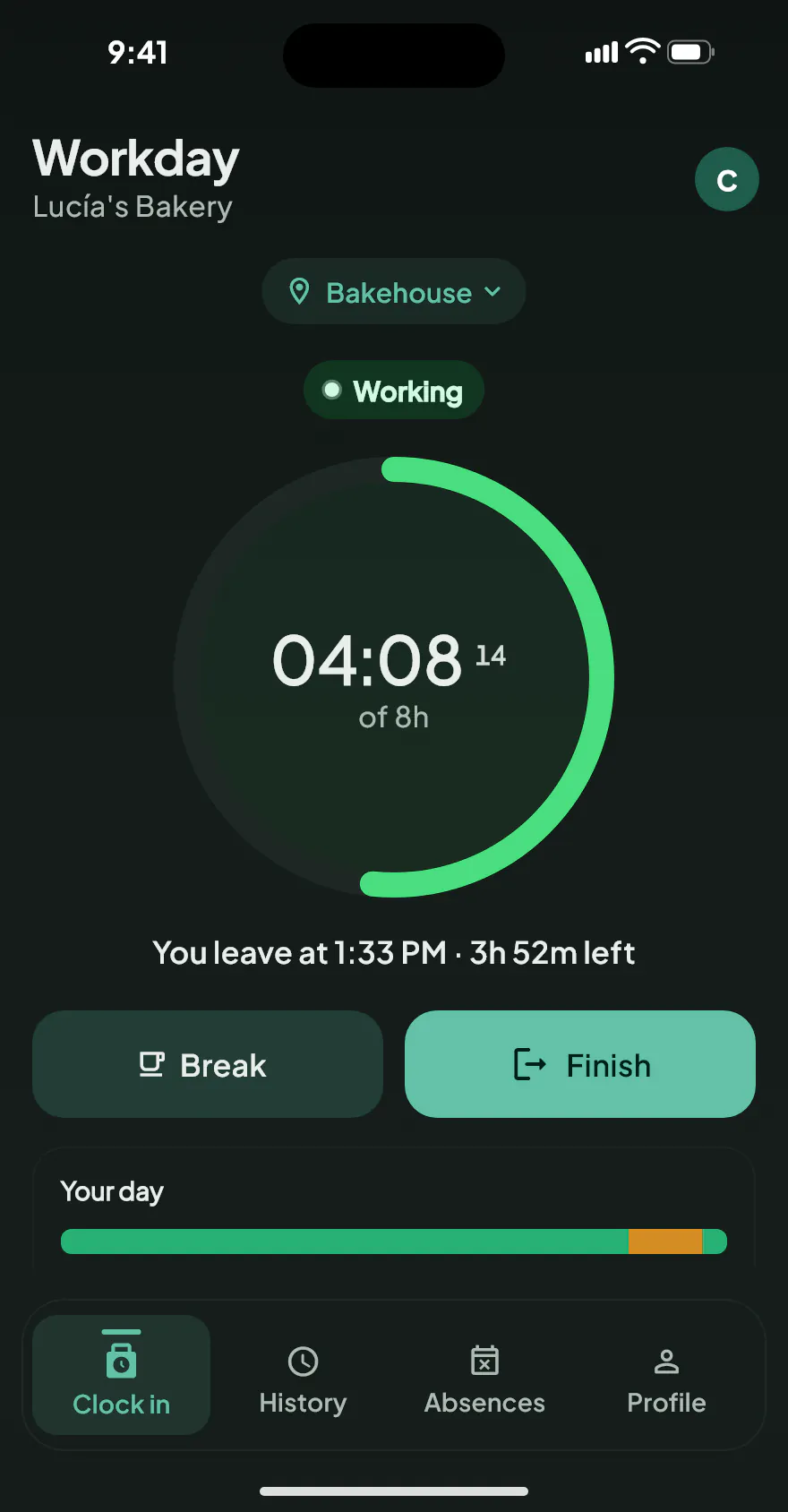
Today's shift, on the phone
What each person sees when they open the app: where they're clocked in, how long they've worked and when their shift ends. Taking a break or clocking out is one tap.
 Open the full-size screenshot
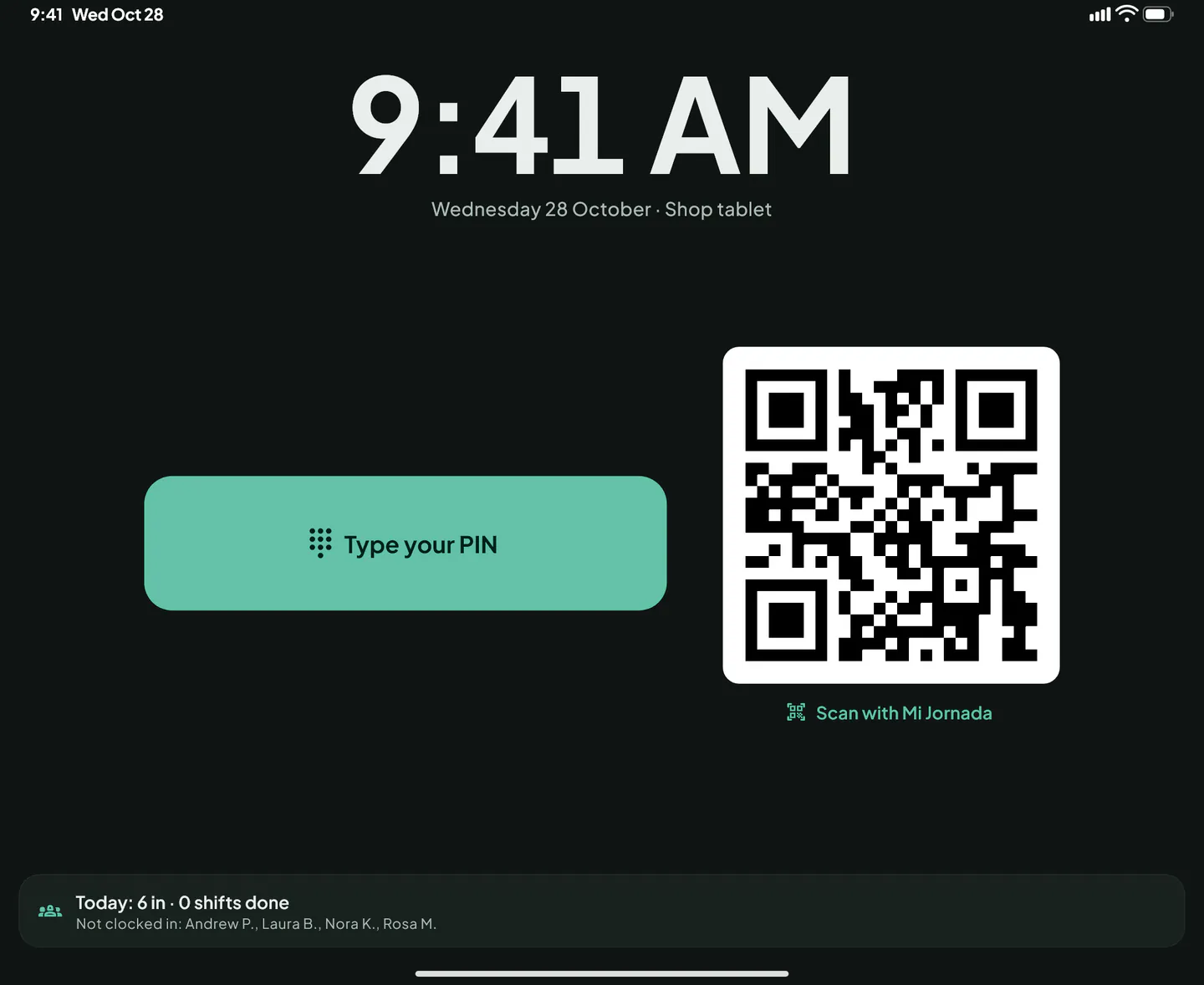
Kiosk mode on a shared tablet
For crews without company phones: a tablet at the door where each person clocks in with a PIN, an NFC card or by scanning the QR code with their own app.
Built for the U.S.
Overtime by workweek, as the FLSA and California count it
The workweek starts on the day the company picks (Sunday here). Hours over 40 in the week are federal overtime; in California, hours over 8 in a day are overtime too, and over 12, double time. Meal periods are checked against the worksite's state.
 Open the full-size screenshot
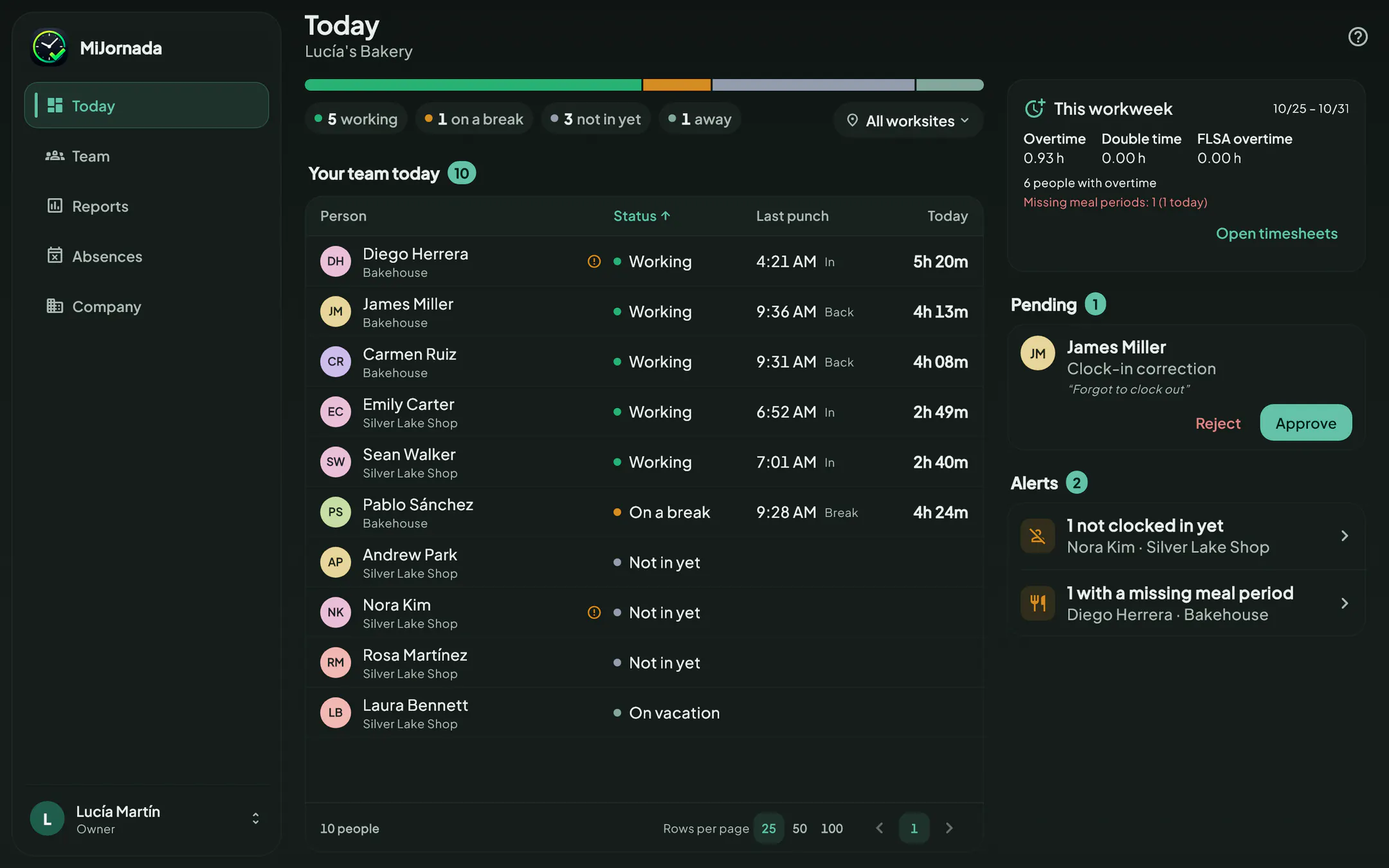
Today: overtime this workweek and missed meals
Diego clocked in at 4:21 AM and hasn't taken his meal break five hours later: the app flags it while there's still time to act, next to the week's overtime so far.
 Open the full-size screenshot
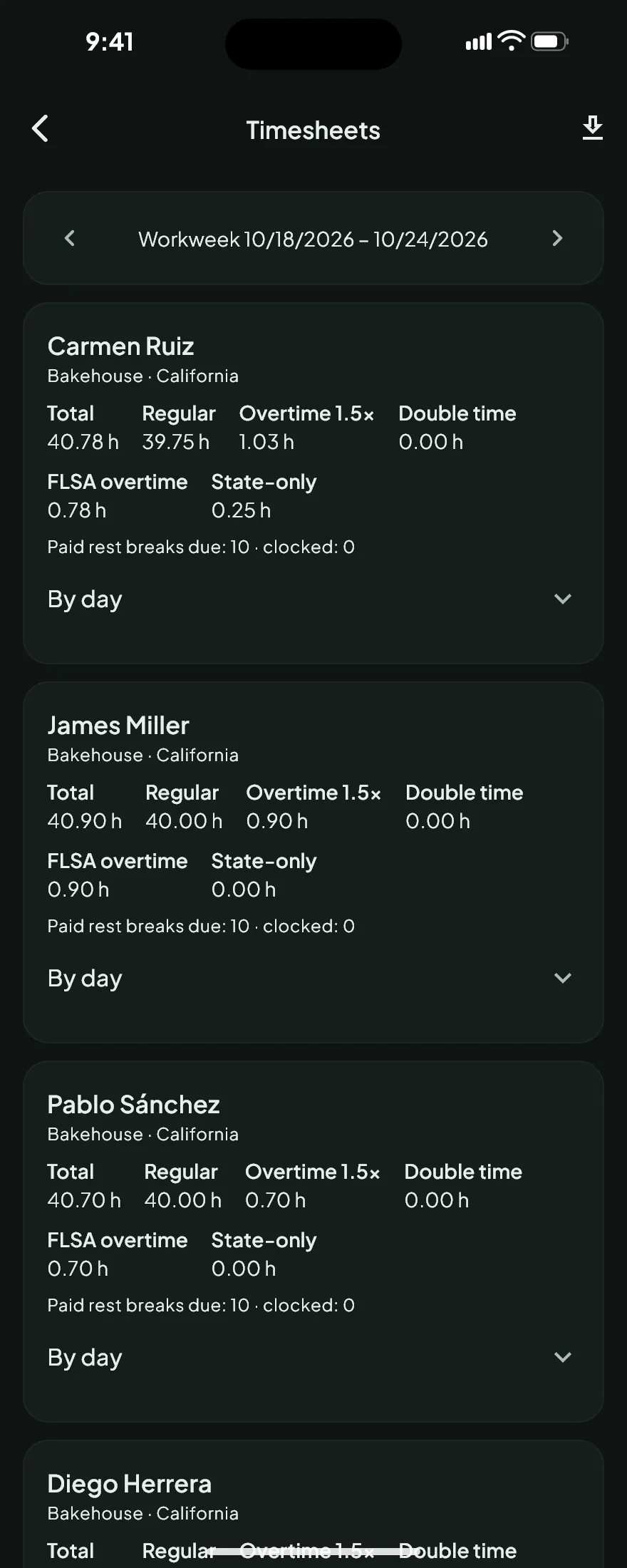
Weekly timesheets for payroll
Each person's week split into regular, 1.5× and double time, with federal and state-only overtime shown apart. It exports to CSV for payroll.
Built for the U.S.
Paid sick leave, worksite states and holidays
The rules follow the worksite's state: sick leave accrual, meal periods, overtime and the time zone the punches count in. Federal holidays are added with one button, and each state's with another.
 Open the full-size screenshot
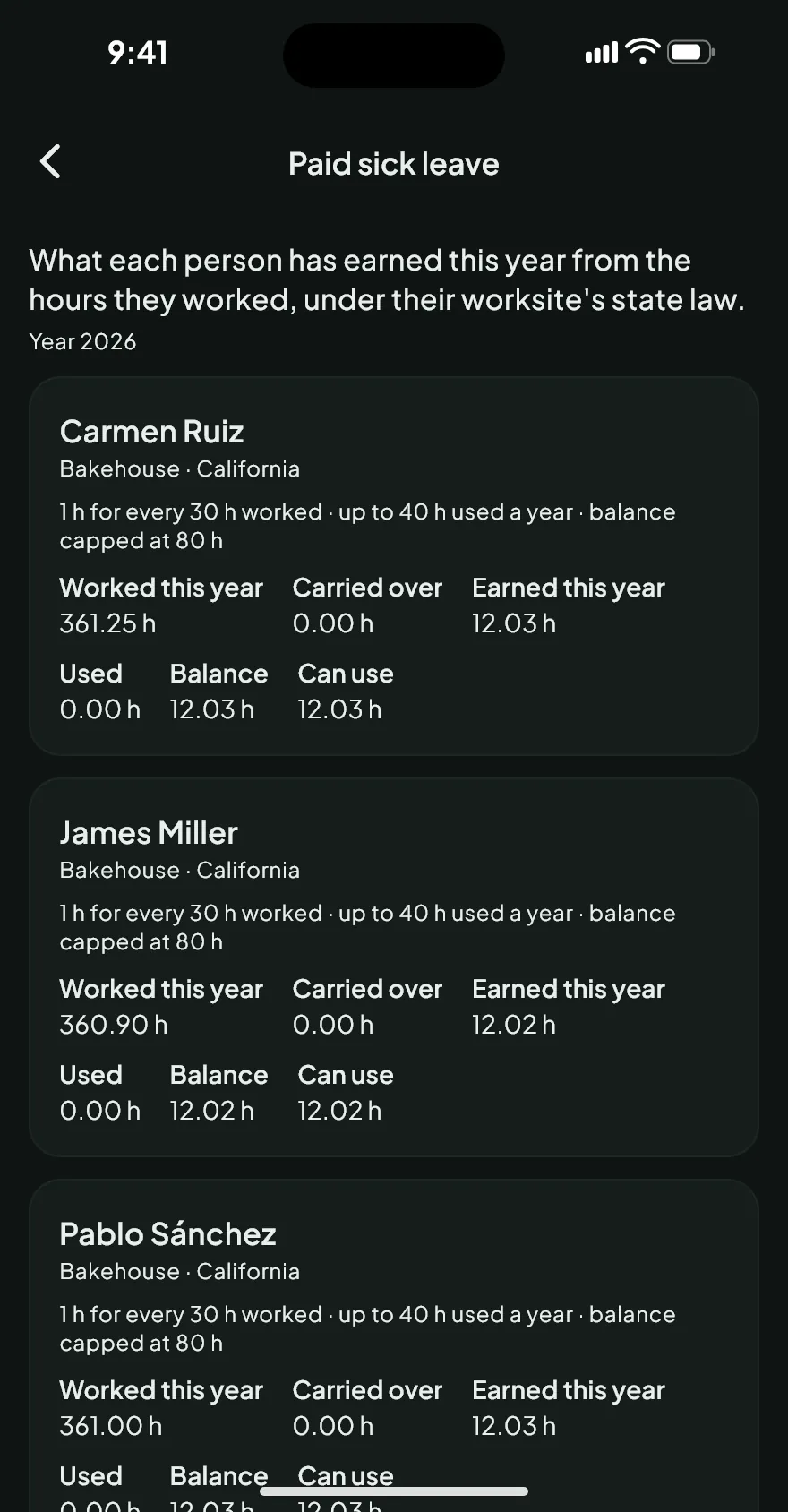
Paid sick leave earned by state
What each person has earned this year from the hours they worked, under their worksite's state law. No spreadsheet to keep in sync.
 Open the full-size screenshot
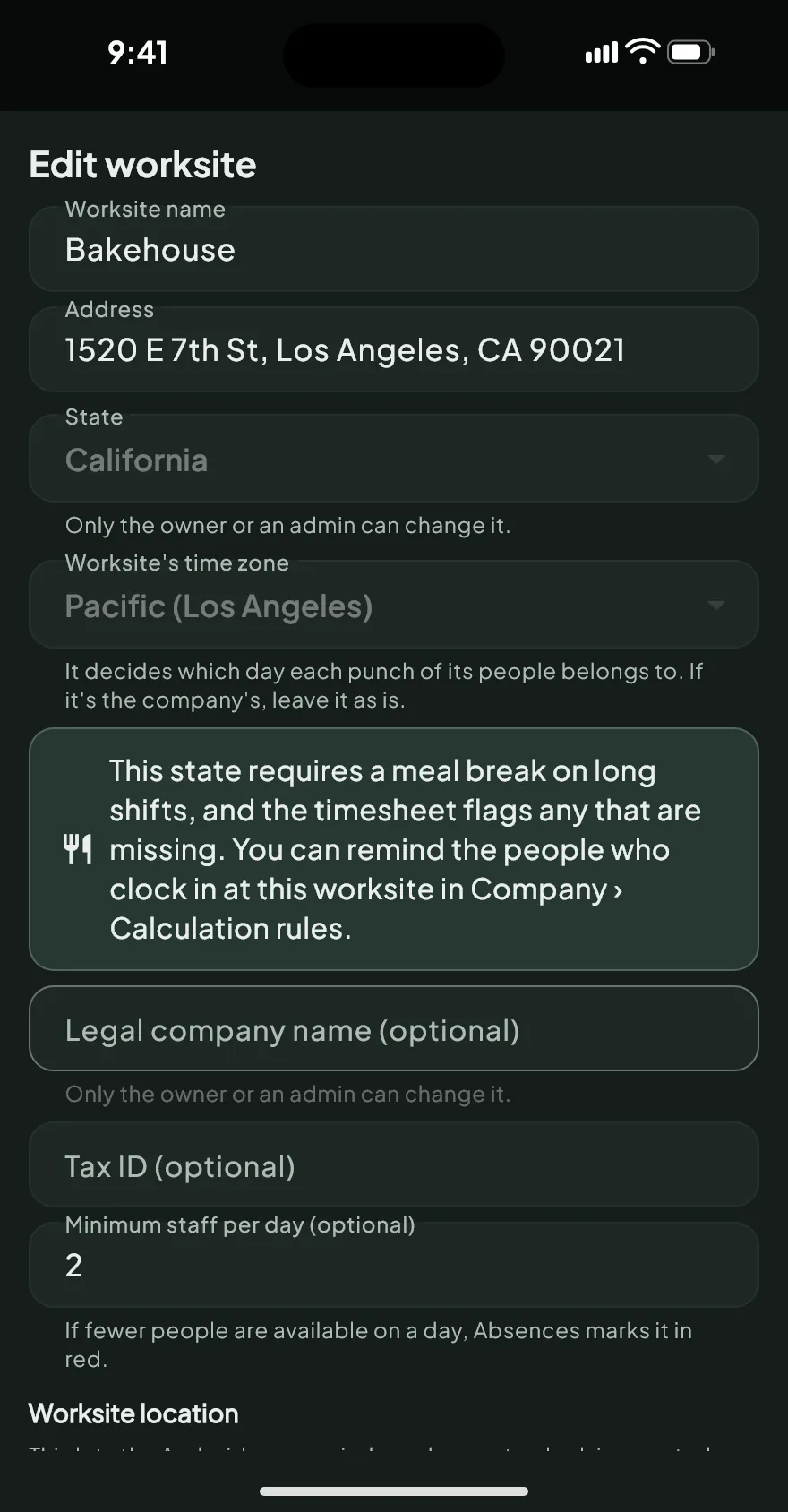
Each worksite's state and time zone
Picking the state turns on its rules for the people who work there, and the time zone decides which day each punch belongs to.
 Open the full-size screenshot
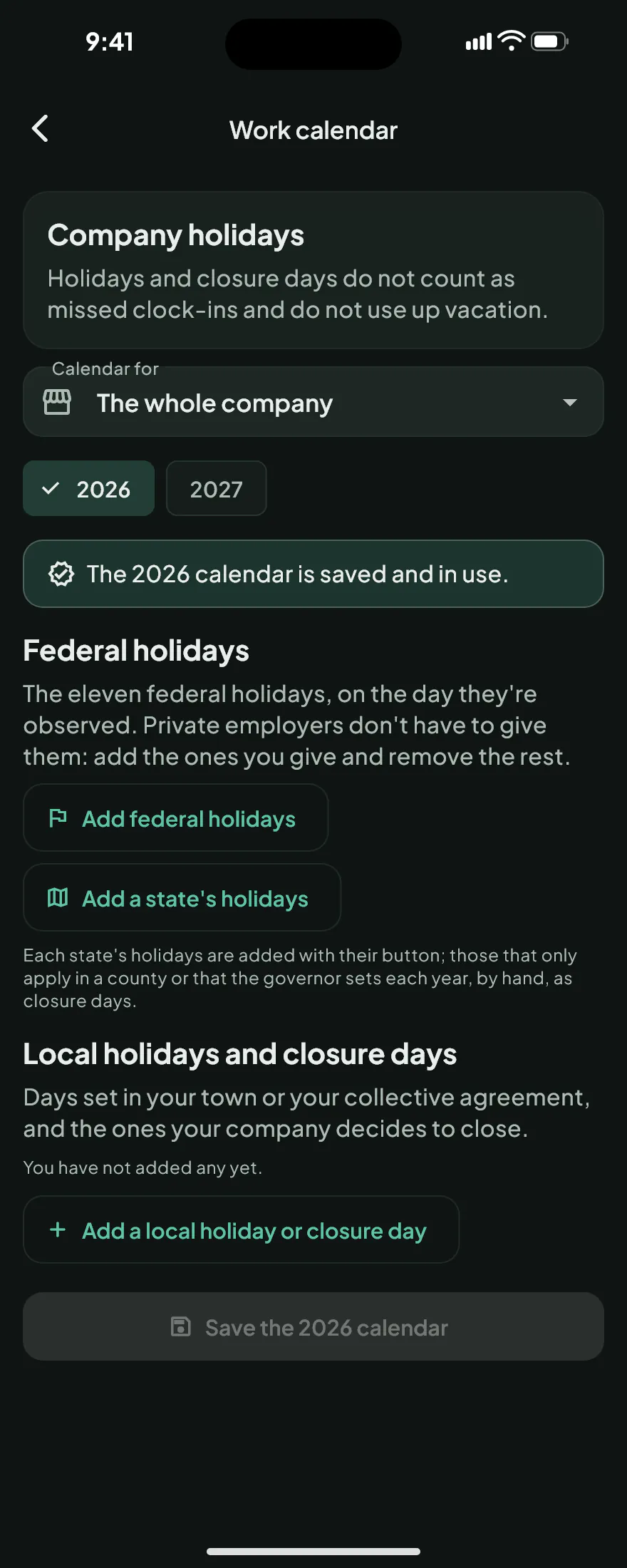
Federal and state holidays
Private employers don't have to give federal holidays, so the company adds the eleven with one button and removes the ones it doesn't give; each state's paid holidays come with another. Holidays don't count as missed clock-ins or use up time off.
Hours history and the team's day
Each person sees their punches day by day and their balance against their schedule; managers see the whole team with a timeline of every shift.
 Open the full-size screenshot
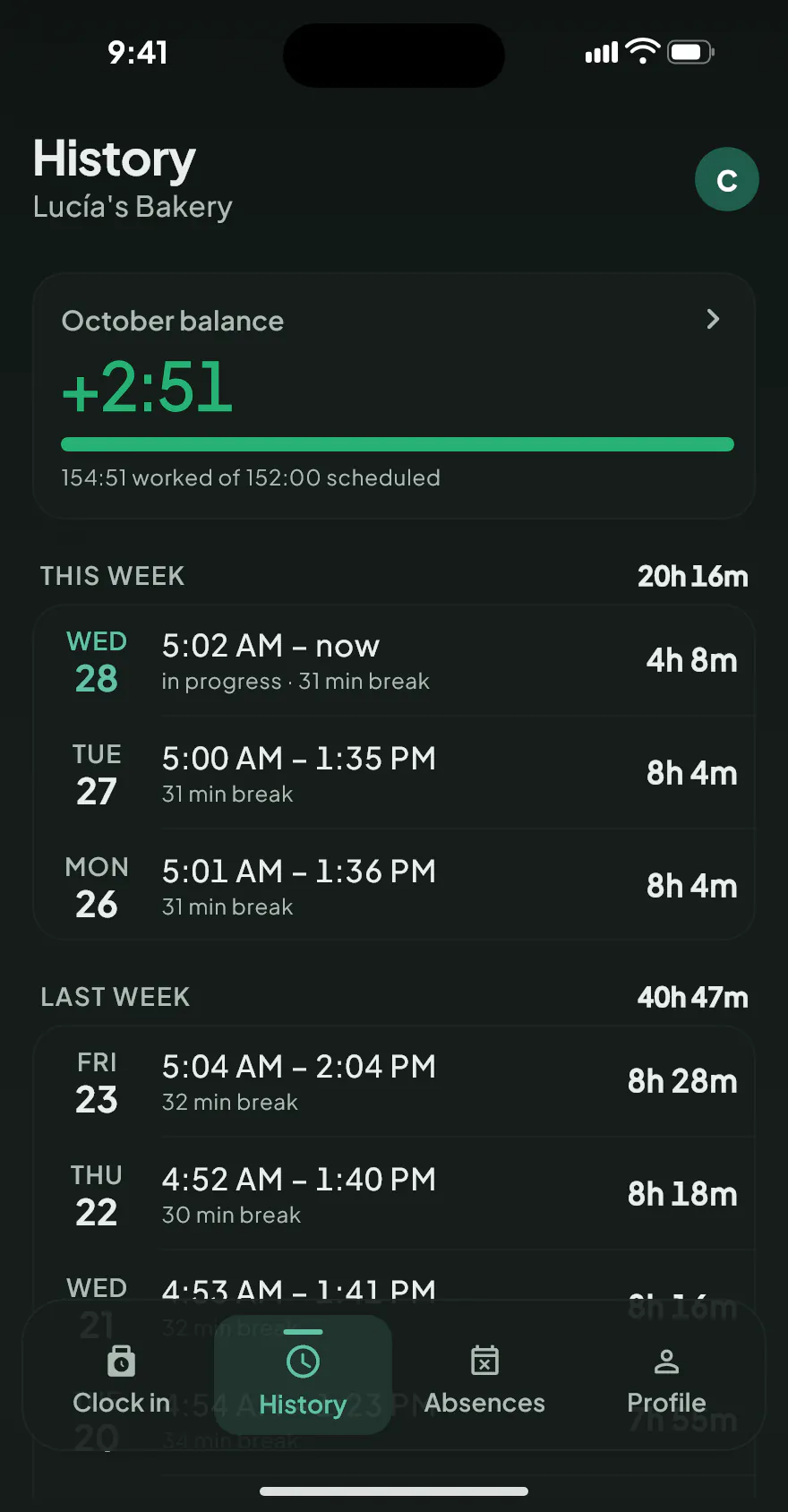
Each person's history
Their hours and their balance for the month, without asking anyone. If a punch is missing, they request a correction and a manager approves or rejects it; the original record stays.
 Open the full-size screenshot
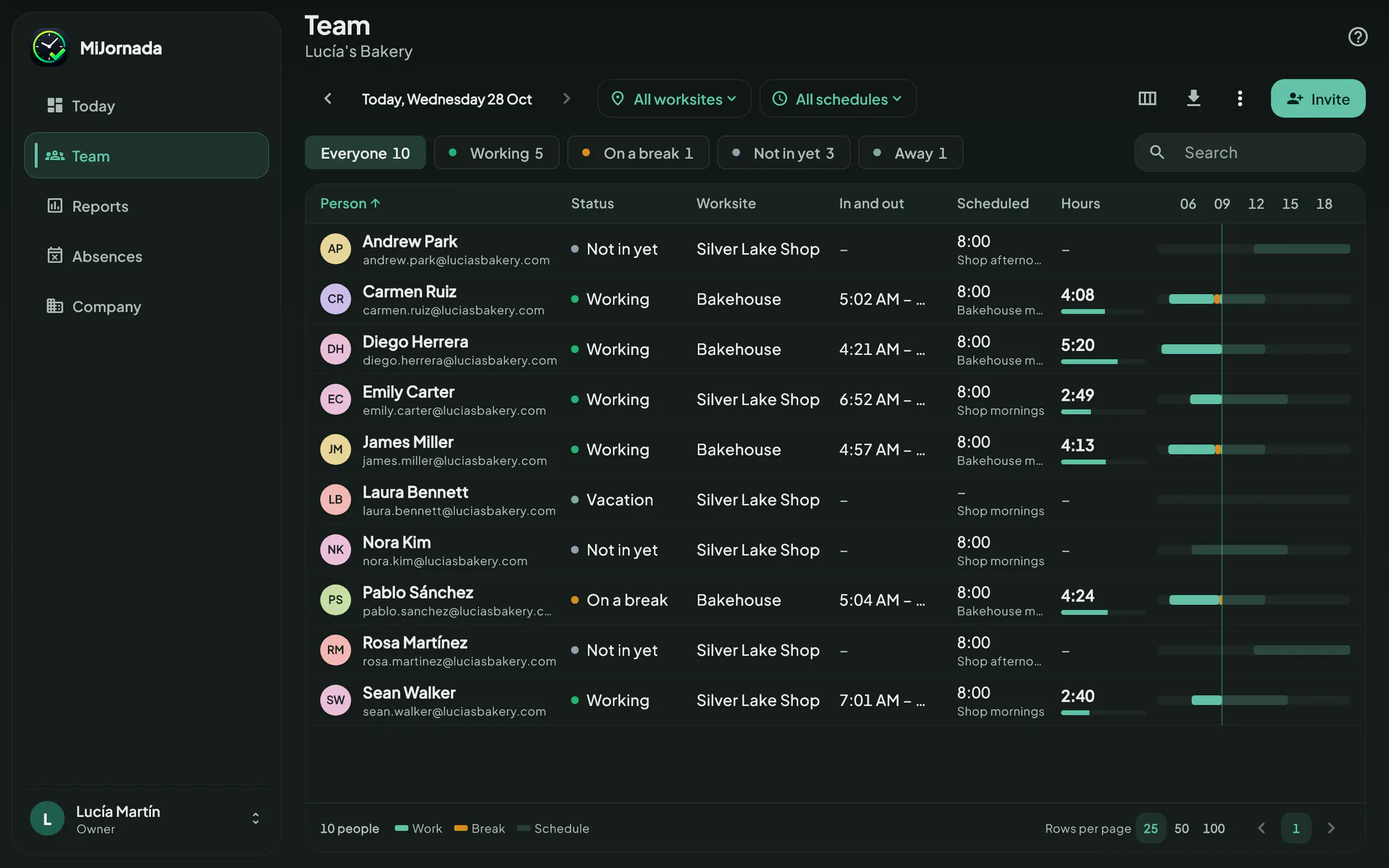
The whole team's time clock
Scheduled versus worked in one table, filtered by worksite, schedule or status.
Time off and absences
Requests go to whoever approves them, balances update on their own and the calendar shows who's out and whether a worksite is short-staffed.
 Open the full-size screenshot
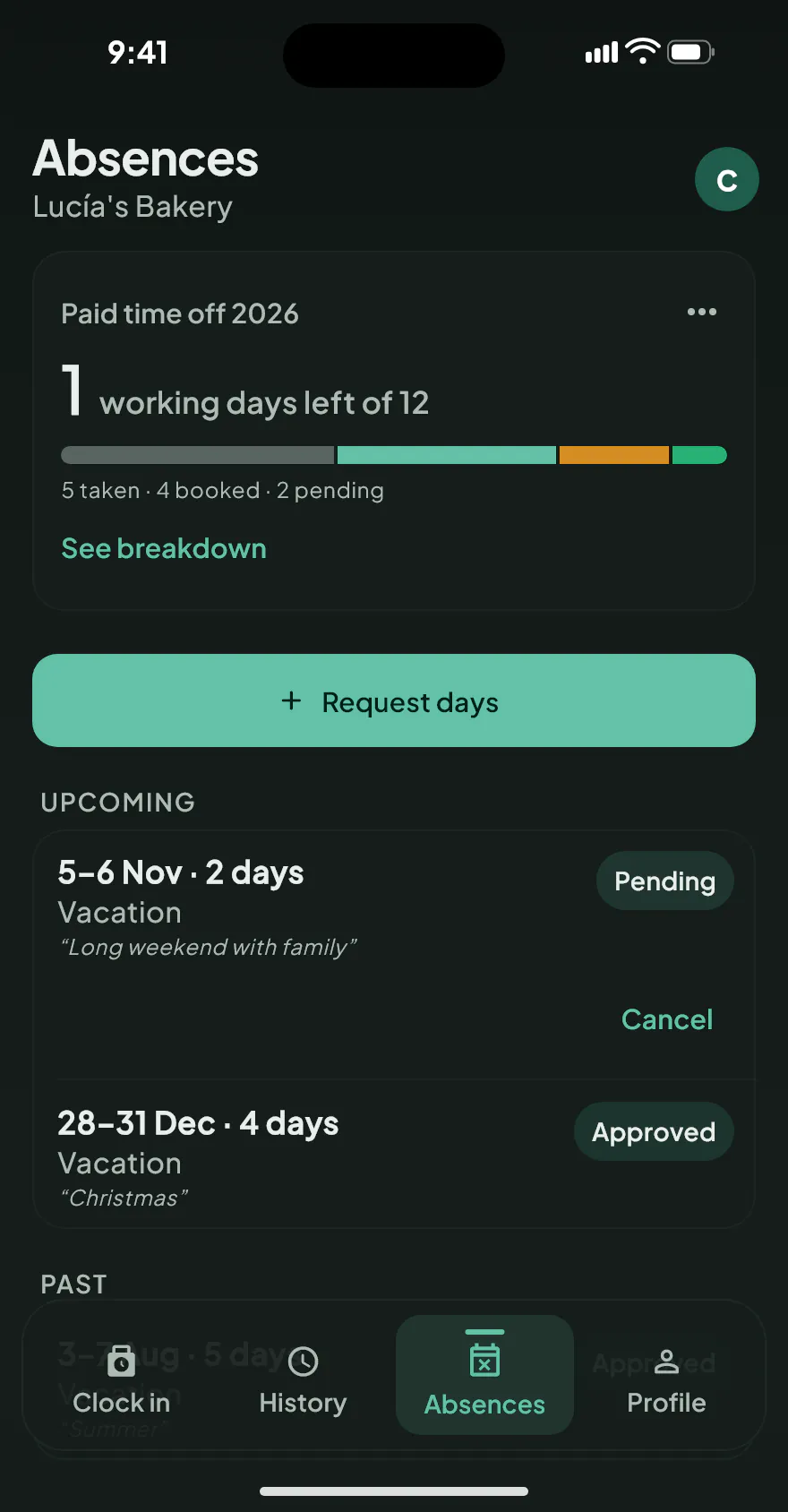
Each person's time off balance
Everyone knows how many days they have left and requests theirs from their phone.
 Open the full-size screenshot
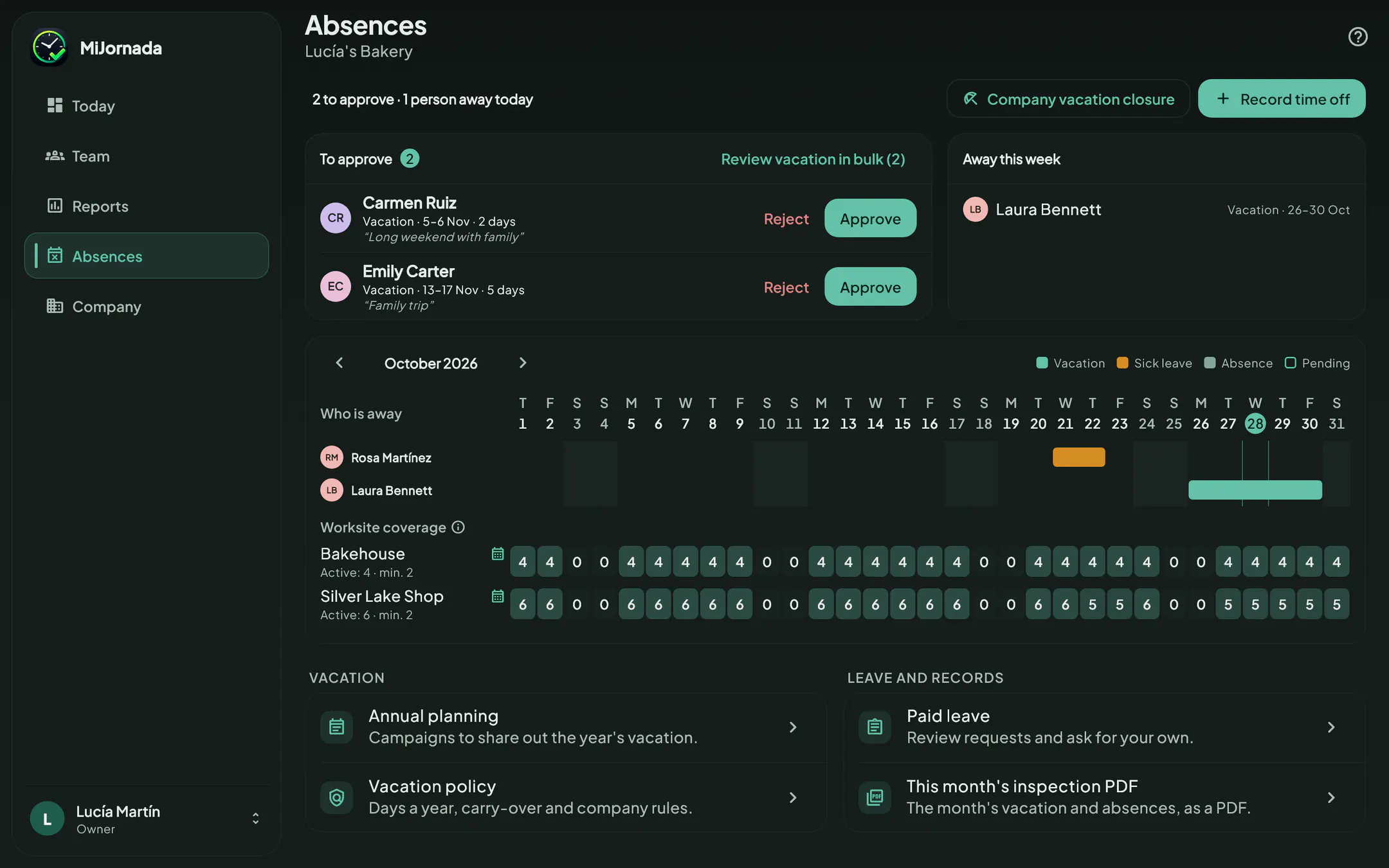
Absence calendar and worksite coverage
Approve time off knowing how many people are left at each worksite: the coverage row turns red on any day below the minimum.
Reports and time records
Hours worked against schedule for the month and overtime, plus a PDF of each person's time records, always in English, with the records the FLSA asks employers to keep (29 CFR 516.2). Records are kept for three years, or six with a worksite in New York or New Jersey.
 Open the full-size screenshot
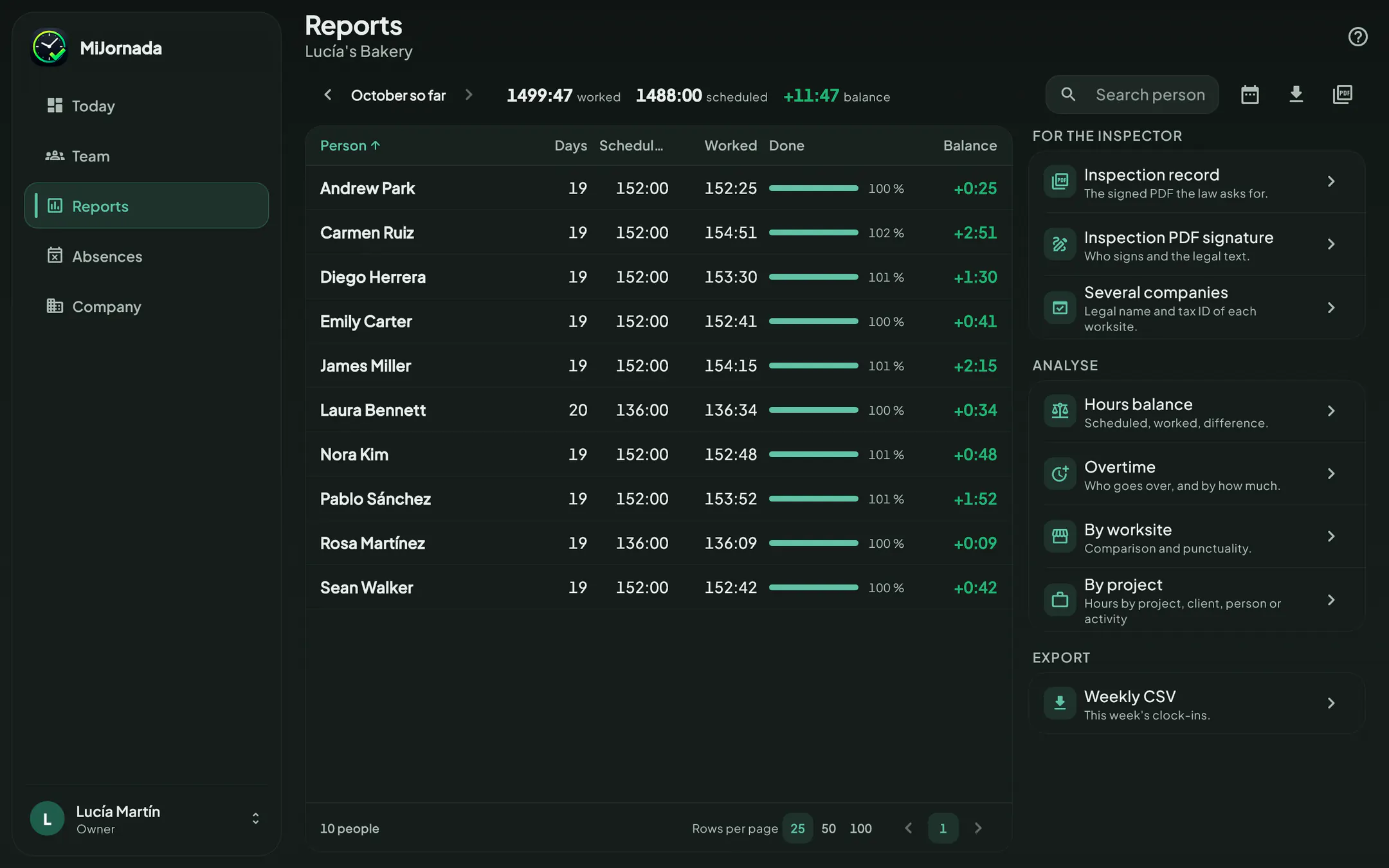
Reports: scheduled, worked and balance
Month-end without spreadsheets: who's over or under their schedule, overtime and the time records PDF one click away.
How these screenshots were made
These are real MiJornada 1.11 screens, rendered by the app itself on a demo company: names, the EIN and every punch are made up. No mockups or retouching; only the time was fixed, Wednesday, October 28, 2026 at 9:41 AM, to show a working morning.
The app is the same on Android, iPhone and the web, in English or Spanish. On a computer the web uses the extra width for tables and side panels; on a phone the same features fit in tabs.
Start
today
Create your company in a minute and invite your team. Free for up to 5 people.
Start free